



Dhanya

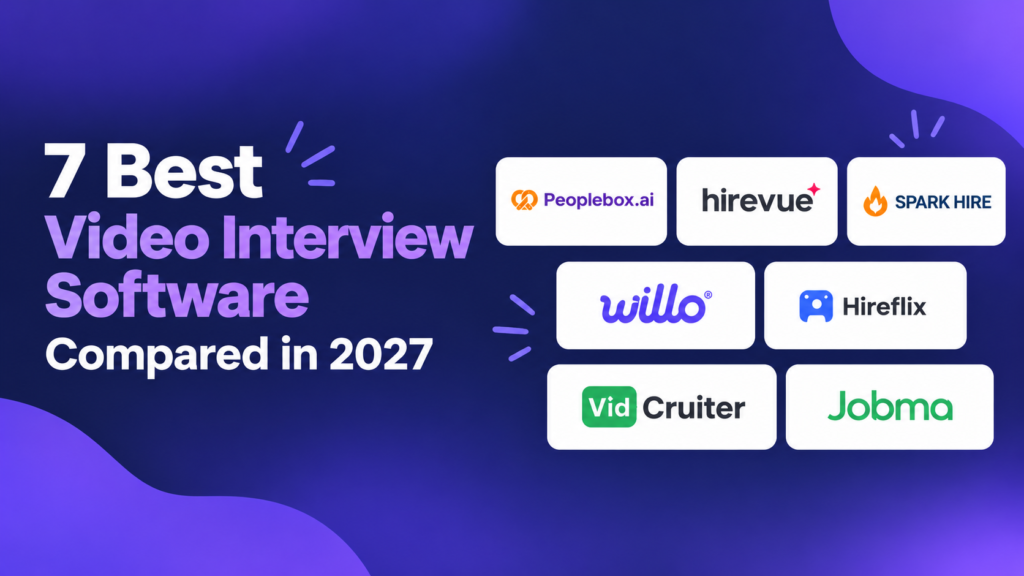

Video interview software is a hiring platform that lets candidates answer interview questions on video, recorded on their own time, live with a recruiter, or with an AI interviewer. When we talked to hiring teams, they asked for fewer first-round screens, fewer no-shows, faster follow-up, the same screening at every location, scores with evidence, and results inside their ATS. This guide compares 7 tools on those problems, then covers fit, cost, compliance, and a 30-day pilot.
Quick answer
In 30 seconds, what is the best video interview software? Top 5 picks
- Peoplebox.ai: Multi-unit operators that want multilingual AI phone/video interviews with feedback behind every score. – 4.5 out of 5
- HireVue: One-way, live, and voice-based AI interviews for companies with 2,500+ employees, connecting to 45+ ATSs. – 4.1 out of 5
- Spark Hire: AI-reviewed one-way and live interviews for companies up to 500 employees, with a built-in ATS. – 4.7 out of 5
- Willo: Any-device one-way interviews for teams of any size, with 50+ native integrations. – 4.6 out of 5
- Hireflix: Reusable one-way interviews for companies under 250 employees, with invites from your ATS. – 5.0 out of 5
Quick comparison: Video interview software
This table compares the 7 best video interviewing platforms on this page by who each one fits best, the interview type it runs, its standout feature, language support, ATS support, public pricing, and G2 rating. Use it to narrow the list to 2 or 3 tools, then read the full entries and limitations below.
| Tool | Best for | Interview type | Standout feature | Multilingual | ATS support | Public pricing | G2 rating |
|---|---|---|---|---|---|---|---|
| Peoplebox.ai | Multi-regional teams hiring 50+ employees monthly that want AI-led interviews | AI-led, by video or phone | Resume screening before qualifying interviews | Yes, in phone and video interviews | 50+ supported ATSs including Workday, or Peoplebox.ai’s own ATS | From $7/user/mo | 4.5 out of 5 |
| HireVue | Large employers hiring 50+ a month that want recorded, live, and AI-led interviews | Recorded, live, and AI-led | Voice-based AI Interviewer | Yes | Works with 45+ ATSs | From $35k | 4.1 out of 5 |
| Spark Hire | Teams hiring under 500 a month that want recorded and live interviews | Recorded and live | AI video review of responses | N/A | Built-in ATS | From $249/mo | 4.7 out of 5 |
| Willo | Teams hiring at any volume that want recorded interviews | Recorded | Interviews on any device | Yes | 50+ native integrations | From $59/role | 4.6 out of 5 |
| Hireflix | Teams hiring under 50 a month that want recorded interviews | Recorded | Unlimited jobs on small plans | Yes | Native ATS integrations and API | From $75/mo | 5.0 out of 5 |
| VidCruiter | Employers hiring 50+ a month that want recorded and live interviews | Recorded and live | Automated reference checks | Yes | Built-in ATS | Contact sales | 4.8 out of 5 |
| Jobma | Staffing firms hiring 50+ a month that want recorded, live, and AI-led interviews | Recorded, live, and AI-led | Autonomous AI interviewer | Yes | Connects to leading ATSs | Contact sales | 4.7 out of 5 |
This evaluation reflects the highest editorial standards. Every tool is reviewed under the same criteria, and no vendor paid for placement or ranking.
What is video interview software?
Video interview software is a hiring platform that runs the first or second interview round over video and stores each answer for review. It adds set questions, scoring, candidate links, and ATS sync that a meeting app lacks. For volume teams, it replaces most first-round phone screens.
What it usually includes:
- Fewer first-round calls for recruiters and hiring managers
- The same questions for every candidate
- Candidates answering at any hour
Some teams call it a digital interviewing software. It is one stage inside the wider candidate screening software category.
What types of video interview software are there?
There are three types of video interview software: recorded, live, and AI-led. Recorded tools send set questions that a recruiter watches later. Live tools host a scheduled call. AI-led tools, by video or phone, hold the conversation, ask follow-ups, and return a scorecard.
| Type | How it works | Recruiter workload | Best for | Watch out for |
|---|---|---|---|---|
| Recorded (one-way) | Candidate records answers to set questions on their own time | A recruiter watches every answer | Early screening for simple roles | Reviews pile up at volume; no follow-up questions |
| Live | Scheduled video call inside the tool, recorded with consent | Full interview length plus scheduling | Final and panel rounds | Scheduling across shifts and time zones |
| AI-led (video or phone) | An AI interviewer asks questions, follows up, and scores, also called an AI video interview or automated video interview | Reading the scorecard | Interviewing every applicant at volume | Needs clear scoring criteria and a human final decision |
For a deeper look at the recorded format, also called asynchronous or pre-recorded interviewing, see one-way video interviewing software. An AI interviewer runs the AI-led format, and AI interview tools that run the whole interview compares the tools in that group. “Video screening” means using any of the three at the first round.
When candidates chose their own interview time, 59% picked a slot outside recruiter hours.
A rule of thumb for choosing a video interview software:
- Pick recorded when every candidate answers the same questions.
- Pick live when a hiring manager needs a real conversation.
- Pick AI-led when recruiters spend their hours on first-round calls.
What features should you look for in video interview software?
A video interview platform should send a mobile link that needs no app or login, ask the same questions in the same order, score answers against criteria you set, write results back to your ATS, and export recordings and transcripts. For hourly roles, add text or phone options for candidates without a good camera.
- Phone-friendly interviews: Candidates should be able to join from a phone with just a link, without logging in or downloading an app.
- Multilingual interviews: Candidates should be able to answer in their own language, and the tool should transcribe the answers in that language. Ask each vendor which languages it supports.
- Role-based question sets: Every candidate for a role gets the same questions in the same order, as in a structured interview, so recruiters can compare answers side by side.
- Scoring with transcript and evidence: Answers are scored against criteria you set, and the transcript shows the evidence behind each score, so a recruiter can check it.
- Two-way sync with your ATS and HRIS: The tool pulls applicants from your ATS and HRIS and sends scores, transcripts, and stage changes back, so nobody copies results by hand. See how video interview software connects to your ATS.
- Interview export and privacy: You should be able to export interviews in bulk, set how long recordings are kept, and control who can view or share them.
- Interview scheduling: Only live rounds need scheduling, where a recruiter and candidate meet at a set time.
- Identity checks: Add identity verification only if the role needs it.
What are the 7 best video interview software?
We’ve shortlisted these 7 tools based on their features and limitations. They all have their own strengths and trade-offs when it comes to the best video interview platforms for volume hiring.
01
Peoplebox.ai
Best forMulti-regional teams hiring 50+ a month that want AI-led interviews on a supported ATS or Peoplebox’s own ATS
G2 rating4.5 out of 5
PricingFrom $7/user/mo
Peoplebox.ai is an AI-led video and phone interview tool with knockout resume screening, multilingual interviews, and ATS-synced scorecards showing answers and feedback. It works on a supported ATS or on Peoplebox’s own ATS. It fits multi-location teams hiring 50 or more a month.
Key features
- AI resume screening before the interview to see role fit
- Multilingual AI interviews by video or phone
- Self-scheduled candidate interviews to reduce no-shows
- Text, voice, and QR code role applications
- Scorecard with answers and feedback, sent to your ATS
Limitations
- Overkill for teams running under 10 interviews a month
- Score quality depends on how well you write the criteria
- Advanced AI modules may require additional investment beyond base pricing

“Peoplebox.ai has made our interview process faster and more effective. The two-way screening experience sets it apart, and the feedback reports give us clear insights to identify the right candidates.”
Neela Rao, Associate Director of Recruitment, Neurealm
02
HireVue
Best forLarge employers hiring 50+ a month that want recorded, live, and AI-led interviews on 45+ ATSs
G2 rating4.1 out of 5
PricingFrom $35k
HireVue runs recorded, live, and AI-led video interviews on one enterprise hiring platform. It adds assessments, interview guides, and self-scheduling, and it works with more than 45 applicant tracking systems. It is built for large employers that hire at scale.
Key features
- On-demand and live video interviews
- Voice-based AI Interviewer with follow-ups
- Game-based and coding assessments
- Self-scheduling for candidates
Limitations
- One-way interviews may feel impersonal to candidates
- Glitches or outages might disrupt some interviews
- ATS integrations might not pull resumes automatically
For better details on HireVue, see the HireVue alternatives guide.
03
Spark Hire
Best forTeams hiring under 500 a month that want recorded and live interviews with a built-in ATS
G2 rating4.7 out of 5
PricingFrom $249/mo
Spark Hire runs recorded and live video interviews for small and mid-sized teams. It also includes an applicant tracking system, automated reference checks, and AI-assisted video review. It is built for small HR teams.
Key features
- One-way interviews and recorded live interviews with timestamps
- AI video review of responses
- Automated reference checks
- Built-in applicant tracking system
Limitations
- Integrations might be hard to set up
- Candidate-level access permissions may be limited
- Reporting and analytics could feel basic
04
Willo
Best forTeams hiring at any volume that want recorded interviews with 50+ native ATS integrations
G2 rating4.6 out of 5
PricingFrom $59/role
Willo runs recorded video interviews that candidates complete on any device. It adds scoring against role criteria, transcripts and summaries, and identity checks. It suits high-volume and fast-growing employers.
Key features
- Recorded interviews on any device
- Match percentage scoring per candidate
- AI transcripts and summaries
- 50+ native integrations
Limitations
- Recorded answers may feel unnatural to candidates
- Reviewing many responses could be slow at volume
- Candidate status options might be limited and rigid
05
Hireflix
Best forTeams hiring under 50 a month that want recorded interviews with native ATS integrations or an API
G2 rating5.0 out of 5
PricingFrom $75/mo
Hireflix runs recorded video interviews that candidates complete on their own schedule. Teams build an interview once, invite as many candidates as they want, and review and share the answers. Pricing is public for small and mid-sized teams.
Key features
- Reusable interviews for unlimited candidates
- Review, rewatch, and share answers
- Candidate invites from your ATS
- Unlimited jobs and interviews on small plans
Limitations
- Recorded format may offer no spontaneous follow-ups
- Reviewing videos might be harder without a mobile app
- Email notifications could have occasional delivery issues
06
VidCruiter
Best forEmployers hiring 50+ a month that want recorded and live interviews with a built-in ATS
G2 rating4.8 out of 5
PricingContact sales
VidCruiter runs recorded and live video interviews inside an end-to-end hiring platform. It adds structured rating guides, interview scheduling, automated reference checks, and an applicant tracking system. It targets enterprise and high-volume teams, including hourly employers.
Key features
- Branded live rooms with rating guides
- Pre-recorded video or audio interviews
- Self-serve scheduling synced to calendars
- Automated reference checks
Limitations
- Setup steps may feel complex without guidance
- Sorting selected candidates could be easier
- Platform may lag and reports might need checking
07
Jobma
Best forStaffing firms hiring 50+ a month that want recorded, live, and AI-led interviews with ATS connections
G2 rating4.7 out of 5
PricingContact sales
Jobma runs recorded, live, and AI-led video interviews, including an autonomous AI interviewer that asks follow-up questions. It adds AI scoring and summaries, skill assessments, and fraud prevention. It serves enterprises, mid-market teams, and staffing firms.
Key features
- One-way, live, and panel interviews
- Autonomous AI interviewer with follow-ups
- AI scoring, summaries, and transcripts
- Skill and technical assessments
Limitations
- Integrations might not always sync reliably
- Rating flow could feel cumbersome for evaluators
- Video access may end when a contract expires
How did we evaluate video interview software?
We evaluated every tool on this page against the same criteria, using product pages, pricing pages, G2 reviews, and help docs checked in October 2026. No vendor paid for placement or ranking. Peoplebox.ai, which publishes this guide, makes one of the tools, and every entry, including Peoplebox.ai’s, lists its limitations.
Data sources
- Product facts: each vendor’s own product, help, and integration pages, checked in October 2026.
- Pricing: G2 pricing tabs and vendor pricing pages, with contact-sales tools labeled.
- Ratings: G2 product profiles, read in October 2026.
- Limitations: recent G2 reviews, confirmed against each vendor’s current pages.
Selection framework
- Interview type: which of recorded, live, and AI-led interviews the tool runs.
- Volume fit: how much recruiter time each candidate needs at 50 and 500 interviews a month.
- Candidate access: whether candidates can join from a phone with no app or login.
- ATS fit: whether scores and transcripts write back to common ATSs.
- Proof and price: verified G2 rating and public pricing or a contact-sales label.
Which video interview software fits your team size and interview format?
Pick the interview format first, then check it against your team size, which here means hires per month. Live tools suit final rounds, recorded tools suit early screening, and AI-led tools suit teams that interview every applicant. The table shows which tools on this page fit each combination.
Which tools fit each team size and interview format?
| Format | Under 50 hires a month (small teams) | 50 to 500 hires a month | 500 or more hires a month |
|---|---|---|---|
| Live | Spark Hire | HireVue, Spark Hire, VidCruiter | HireVue, VidCruiter, Jobma |
| Recorded (one-way) | Spark Hire, Willo, Hireflix | HireVue, Spark Hire, Willo | HireVue, Willo, VidCruiter |
| Both live and recorded | Spark Hire | HireVue, Spark Hire, VidCruiter | HireVue, VidCruiter, Jobma |
| AI-led | No tool on this page fits | Peoplebox.ai, HireVue, Jobma | Peoplebox.ai, HireVue, Jobma |
Tools that have multilingual support: Peoplebox.ai, HireVue, Willo, Hireflix, VidCruiter, and Jobma support more than one language for candidates or transcripts.
Tools that work with Workday: Peoplebox.ai, HireVue, Spark Hire, Willo, VidCruiter, and Jobma connect to Workday.
What should you look for at each team size?
By team size: choose software that has these features for your size. See also high-volume hiring software.
| Hires per month | Features to look for |
|---|---|
| Under 50 (small teams) | Flat monthly or per-role pricing, ready-made question sets, recorded interviews, shared review links, software that works without an ATS |
| 50 to 500 | Scoring against set criteria, ATS write-back, question sets per role |
| 500 or more, or 20+ locations | Interviews that run and score without a recruiter, location-level access, text or phone options |
What should you look for in your industry?
By industry: choose software that has these features for your roles.
| Industry | Features to look for |
|---|---|
| Restaurants and QSR | Mobile link, interviews outside store hours, GM access per location |
| Retail | Seasonal surge capacity, short interviews, same questions across stores |
| Healthcare and home care | Credential questions, shift availability, phone option |
| Logistics and drivers | License and route questions, phone option, fast scoring |
| Call centers and BPO | Spoken-English and listening checks, recorded answers for QA |
| Staffing agencies | Client share links, ATS sync such as Bullhorn, branded invites |
See restaurant hiring software, hiring software for franchises, and technical assessment software for coding roles.
When is a meeting app enough instead of video interview software?
- If you only run final or panel rounds live.
- If you run fewer than 10 interviews a month.
- If your ATS already handles scheduling and scorecards.
- If you do not need recorded screening, scoring, or sync.
A meeting app falls short if you need set questions, candidate links that need no scheduling, scoring, or ATS write-back for every applicant. In that case, video interview software is the better fit.
How do candidates experience recorded, live, and AI-led interviews?
Candidates finish video interviews when the link opens on a phone, the interview is short, and they can pick a time or a channel. Hourly applicants often apply to several jobs at once, so a long recorded interview with no follow-up loses them. Test completion in your pilot before you sign.
- Keep first-round interviews under 15 minutes.
- Let candidates choose a time, including nights and weekends.
- Offer phone or text for applicants without a camera.
- Tell candidates how answers are scored and who reviews them.
92.9% of candidates who started a Peoplebox.ai AI interview finished it and received a score.
How should you choose video interview software?
Choose video interview software by starting with your slowest hiring step, then matching the interview type to it. Check that the tool connects to your ATS, works on a phone, scores against your own criteria, and lets you export your data. Then run a 30-day pilot at 2 or 3 locations.
| Problem | What to look for | Question to ask a vendor |
|---|---|---|
| Slow first contact loses applicants to other employers | Access: interviews that go out through preferred channels as soon as an applicant passes the resume screen | Can interviews go out by text, phone or video the moment an applicant passes my resume screen? |
| District and location leaders spend hours on first-round calls | Automation: interviews that run and score without a leader | Does it interview every applicant with no leader involved, and how fast is the score ready? |
| Leaders screen differently at each location | Structure: one locked question set per role | Can I lock one question set per role, in the same order for every candidate? |
| Candidates get lost between the job board and the ATS | Sync: applicants in, results back to the ATS | Does it connect to my ATS or HRIS, take applicants in, and save scores and transcripts to their record? |
| No record of what was asked or said | Records: recordings and transcripts kept and exportable | Are recordings and transcripts kept, and can I export them in bulk? |
| Hiring managers ignore scores with no evidence | Evidence: score shown with the answers behind it | Does it show why each answer got its score, and can a person override it? |
| Fake or coached candidates, mostly in technical hiring | Verification: identity checks, proctoring | Does it check identity, and can I add proctoring? |
Before you sign, confirm:
- ATS or HRIS on the vendor’s list
- Pilot at 2 or 3 locations
- Completion and recruiter hours tracked weekly
- Bulk export tested
For the questions to ask in each interview, see screening questions by role.
What mistakes do teams make when buying video interview software?
Most buying mistakes come from judging the tool on a demo instead of on your real hiring conditions. Each of the five below can be tested in a pilot before you sign.
- Choosing on the demo, not on your hiring volume
- Running long interviews that applicants abandon
- Launching with no scoring criteria
- Buying a tool that does not write back to your ATS
- Skipping a bulk export test
Vendor pilot guide
Test the tool before you sign
Compare 2 or 3 tools in a 30-day pilot, with the same roles, questions, and numbers.
How should video interview software connect to your ATS?
Video interview software should connect to your ATS in both directions: it pulls applicants and job details in, then writes scores, transcripts, video links, and stage changes back. Check which ATS or HRIS the vendor supports, which fields sync, and how fast. A tool that does not write back becomes a second system your recruiters update by hand.
| What to check | What good looks like | Question to ask a vendor |
|---|---|---|
| Supported your ATS or HRIS | Your ATS or HRIS is named on the vendor’s current supported list | Is my ATS or HRIS on your live supported list, and is the connection built in or through a partner? |
| Applicants pulled from your ATS | New applicants reach the tool within minutes | How fast do new applicants appear in the tool after they apply? |
| Sends interview results to your ATS | Score, transcript, video link, and stage change land on the ATS record | Which fields write back, and can recruiters edit them? |
| Reapplying candidates | The tool matches on email or phone and adds no duplicate record | How does it handle someone who applies twice? |
| Multiple ATSs in one account | Each location’s ATS maps to the right jobs | Can one account connect more than one ATS? |
| HRIS and onboarding handoff | Hired candidates’ details pass to your HRIS or onboarding tool without retyping | Does it send hired candidates’ details to my HRIS or onboarding tool, and which fields? |
| Visible failed syncs | Errors are visible and retry on their own | Where do I see a failed sync, and who fixes it? |
Workday-compatible video interview software usually connects to Workday’s recruiting side. Ask each vendor whether it also passes data to Workday HCM, your HRIS.
How do video interview tools handle fraud, bias, and compliance?
Video interview tools reduce fraud and bias risk when they confirm identity, flag copied or scripted answers, ask every candidate the same questions, and keep a human in the final decision. AI scoring in hiring is regulated in some US places, such as New York City, so check the rules with counsel before launch.
- An identity check at the start of the interview.
- Follow-up questions that expose scripted answers.
- The same questions and scoring criteria for every candidate in a role.
- Human review before any rejection.
- Bias audit results, candidate notices, and consent for recordings, available on request.
- Retention limits and access permissions for recordings.
- Accommodations for candidates with disabilities: offer a non-video option, extra time, and a way to request changes before the interview.
This is information, not legal advice.
How do you switch video interview software without losing candidates?
To switch video interview software without losing candidates, export every recording, transcript, and score first, then confirm the new video interview tool writes to the same ATS fields. Run both tools in parallel for 2 to 4 weeks, move one job family at a time, and keep the old system read-only until audits close.
- Export data and check retention rules.
- Map ATS fields and stages.
- Rebuild question sets and criteria.
- Pilot at 2 or 3 locations.
- Move job families one at a time.
- Switch off invites in the old tool.
The recruiting operations lead owns the move. Plan for 4 to 8 weeks.
How much does video interview software cost?
Video interview software pricing depends on interview volume, recruiter seats, the interview types you turn on, and add-ons such as AI scoring or assessments. Budget for the platform fee, setup, ATS integration, and recruiter time to build questions. Compare the video interview solutions above on these factors, then choose the one that fits best.
Which video interview software is right for your team?
The best video interviewing software for your team depends on what your hiring needs most. Recorded tools suit low volume and simple roles. Live tools suit final rounds. AI-led tools suit teams that must interview every applicant, across shifts and locations, without recruiters.
Start with your slowest step and fix that first. Test your top 2 tools at 2 or 3 locations for 30 days, and compare completion and recruiter hours. If you want an AI interviewer for that pilot, see how Peoplebox.ai runs it.
FAQs
What is video interview software and how does it benefit hiring?
Video interview software runs interviews over video and stores the answers for review. It cuts first-round calls, asks every candidate the same questions, and lets candidates answer at any hour from a phone.
What is the best video interview software?
The best video interview software depends on your volume and roles. Spark Hire, Willo, and Hireflix suit recorded screening, HireVue and VidCruiter suit large teams, and Peoplebox.ai and Jobma suit AI-led interviews.
Is there free video interview software?
Some online interview software offers a free plan or a free trial, usually capped by jobs or interviews each month. Free plans rarely include AI scoring or ATS sync, so check limits before you commit.
What platforms are used for virtual interviews, and is Zoom or Teams enough?
Teams use meeting apps such as Zoom, Google Meet, and Microsoft Teams, or dedicated virtual interview software. Meeting apps work for live rounds but have no set questions, scoring, candidate links, or ATS sync.
What is video screening software?
Video screening software is video interview software used at the first round to filter applicants. Candidates answer short screening questions on video, and the tool or a recruiter scores answers before anyone books a call.
What is the difference between one-way and live video interviews?
A one-way video interview sends set questions that candidates record on their own time. A live video interview is a scheduled call with a person. One-way suits early screening, and live suits final rounds.
How does AI score a video interview, and how do recruiters review it?
AI scoring turns each answer into a transcript and rates it against set criteria. Recruiters open the stored recording through a shared link showing the score and evidence, and can override any score.
Are AI-scored video interviews legal in the US?
AI-scored interviews are legal in the US, but some places add rules. New York City requires bias audits and notices for automated hiring tools. Ask each vendor for audit results, and check requirements with counsel.
How long does it take to set up video interview software?
Setup usually takes days to a few weeks. A recruiting operations lead usually owns it: connect your ATS, write questions and criteria per role, then run a 30-day pilot using the Pilot Scorecard.
Can candidates take a video interview on a phone?
Yes, if the tool sends a mobile link. Look for interviews that open from a text or email in a phone browser with no app or login, plus a phone-call option for hourly candidates.
Can video interview software detect cheating or AI-assisted answers?
Some can reduce it. Look for identity checks, proctoring, and follow-up questions that expose scripted or AI-assisted answers. No tool catches everything, so keep a person reviewing results before any candidate is rejected.
What’s the best video interview software for remote or multi-location hiring?
For remote or multi-location hiring, choose remote interview software with one locked question set per role, interviews that score without a local leader, and ATS write-back. Compare tools by team size in the fit section.
Are video interviews better than phone screens?
Video interviews beat phone screens when you need to replay answers, share them, and score candidates the same way. Phone screens are quicker for simple checks, and AI-led interviews run by phone or video.
What rating scale should you use to score video interviews?
Use a 1 to 5 scale with a written description for each score, such as 1 for no relevant example and 5 for a specific, complete answer. Score each question separately for every candidate.
Author

Dhanya is a Content Marketer at Peoplebox.ai with 2+ years of experience, writing strategy-led articles on AI in recruiting, candidate screening, and modern hiring. She helps TA and HR teams make sense of how AI is changing the way companies hire at scale.
View profile Top Picks



YOU'VE READ THE PLAYBOOK
Now see it running - live, on your org chart
A 30-minute walkthrough of reviews, goals and 1:1s inside Slack & MS Teams. No slides, just the product.
Request a Demo